The Saleen FourSixteen Is A Faster, Louder And More Slippery Tesla Model S
Aftermarket EV’s! It’s like living in the future.
Aftermarket EV’s! It’s like living in the future.
“the more detailed you estimate, the more the total will tend towards infinity”
I can tell you the license plate number on my mom’s car in 1988, but if you asked me which CocoaPods I used on my last project, I couldn’t tell you. Fortunately, through the magic of source control, I can go back in time and look through all the open source libraries I’ve used in the past. Of course, that’s kind of a huge pain in the ass to have to go back through all those projects. To that end, I’ve decided to start making my life a little bit simpler by cataloging all of the open source projects that I’ve used (plus a few that I haven’t) and made them publicly accessible via my github repo. FYI, it’s still a work in progress. OH and you’re welcome 🙂
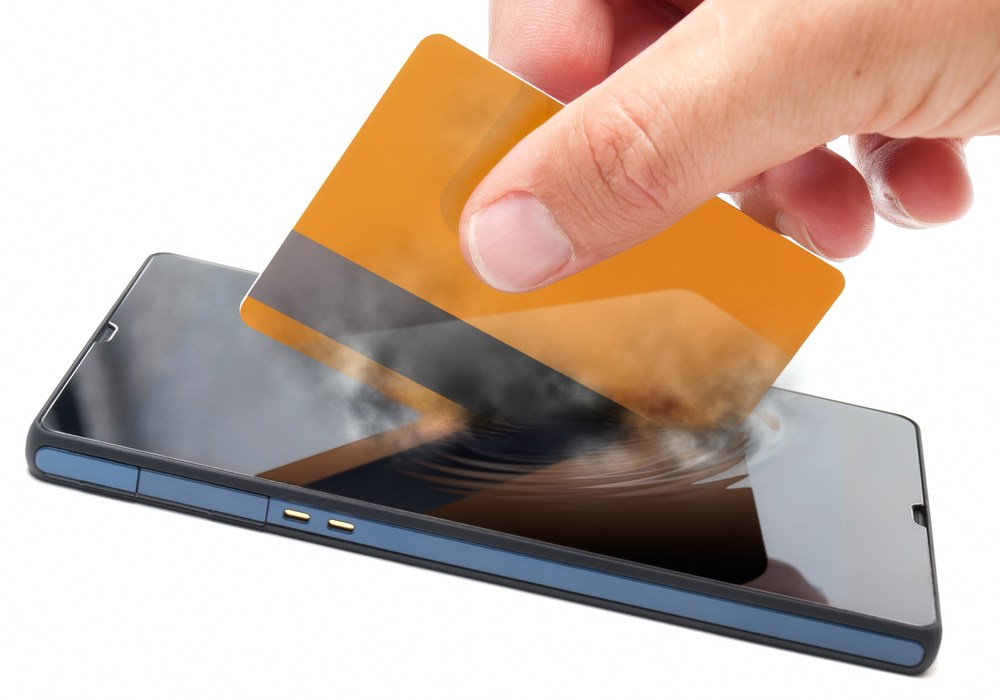
Alas NFC, we hardly knew ye.
Best Buy(s bby) and 7-Eleven have started shutting down near-field communications (NFC) capabilities in their stores’ point-of-sale terminals, making it even harder for Isis and Google(s goog) to get their fledgling smartphone payments services off the ground.
According to a report in ComputerWorld, payments technology analysts say Best Buy and 7-Eleven began disabling the NFC readers at their checkout stands simply because of the expense. NFC-powered mobile payments have barely cracked the surface in the U.S. – stymied in part by turf wars between Isis and Google – so big retailers see little reason to support it and other smart card technologies. Also, banks are charging higher transaction fees for smart card and NFC payments, giving retailers even less incentive to get behind smartphone payment services.
But there could be a third reason that Best Buy and 7-Eleven aren’t keen on NFC. They’re part of a consortium of big…
View original post 316 more words
Interesting take-aways. The debate is a contentious one, but I have to agree with the author. Developing for Android is more expensive than iOS.
I couldn’t begin to tell you why, but I’ve never had a fear of public speaking. Insects, small confined spaces, and clowns. But never public speaking. It doesn’t make a lick of sense considering I’m a bit of an introvert (INTJ) and generally shy, unless I’m amongst friends.
This past week I had the unenviable task of returning from a trip to NYC and minutes later had to give a presentation on material that I had barely read. I say ‘unenviable’ but the truth is that I had a good time. I wasn’t nervous and all things being equal, I think it went extremely well – based on the feedback from the audience afterwards.
How did I do it?
I don’t have a clue…BUT perhaps I could venture a guess. Here’s my advice on public speaking:
1. Don’t give a fuck! You’ll forgive my French, but I want to be very clear on this point. Nothing bad is going to happen to you if you stumble, say err or ummm, forget what you were saying, or say something that is flat out wrong. You can’t die from embarrassment. More importantly, anyone sitting in judgement probably doesn’t have the nerve to speak in front of an audience. So don’t worry about what anyone else is thinking. Whether you close your talk to roaring applause or rotten tomatoes, you’ll still be alive in the morning.
2. If you say anything LOUD enough and with enough CONVICTION, people will believe you. Unless you’re saying Android is better than iOS. That’s just crazy talk.
3. Breathe.
4. See point number one again
5. Just have a conversation with a few strangers that just happen to all be seated in front of you. You don’t have to “present”.
6. Believe it or not, everyone is rooting for you and wants you to give a great talk. Except for me, I’m sitting in the back making snarky comments. But I’m a jerk so why do you care what I think?
7. Never give a talk titled “Android is better than iOS”. No one will listen to you.
For better and more practical advice on speaking, check out:
Good luck and happy speaking!
The big question is whether AT&T will offer subsidy for me to buy an iFerrari 🙂
I just read a great article from the folks over at Teehan+Lax on one of their projects with a Canadian newspaper. Here’s a great takeaway:
When making digital products and services, it can be tempting to spend a lot of time up-front trying to formulate a flawless strategy. But what we really need to do is get to a simple, actionable statement about what problem we are going to solve for the user as soon as possible, so that the design process can proceed. In fact, a lean strategic process can happen in concert with design, allowing us to test our ideas in practice, figure out what’s working and what isn’t, adapt and move on. In this project, there were a lot of twists and turns that made a flexible and fluid planning process absolutely essential.
– Kim Lawless
Happy Designing!

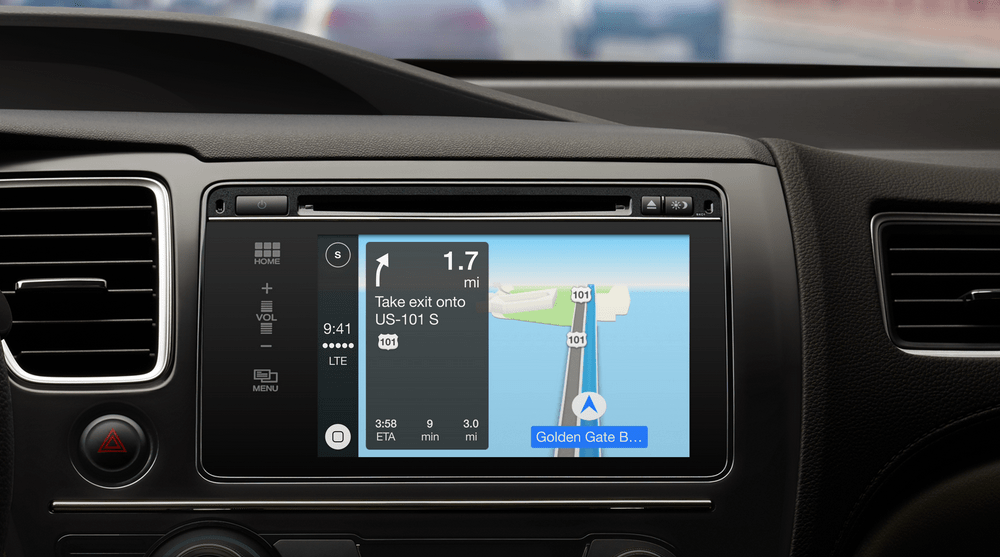
After a year of no news, Apple as re-announced it’s in-car iOS integration system CarPlay
I have to be honest, as a full on diehard raging Apple fanboy, the availability of such features will greatly influence my next car buying decision. However…
In what seems like a huge marketing oversight, neither Apple nor any of the car manufacturers have mentioned any of the primary use case(s) of what iOS integration could potentially offer:
Maps, Messages, and Music? I can already do that…except for the texting part of course. I’ve NEVER texted while driving *looks down and to the left*
All CarPlay is doing (so far) is to give me an easier way to access that information through the car’s dashboard. That’s really cool and all, but it doesn’t address any problems in the context of my everyday driving experience. Here’s hoping there’s more to come.
Later this month (March 2014), Urban Airship will be rolling out its “Mobile Relationship Platform” which appears to include a suite of tools, services, and hardware(?) that will allow brick and mortar businesses to take advantage of iBeacons.
From a developer’s perspective this will be an appealing offering. Rather than have to build/source from several independent tools, Urban Airship is quickly becoming the “one stop shop” for geo-location/push-notification services for mobile apps and app developers…
…it wouldn’t surprise me if they were acquired by Apple.
Happy Coding!


